Charon LOG and CFG files syntax highlighting for Notepad++
- Bruno Miretti (Deactivated)
Description
Notepad++ is a free source code editor and Notepad replacement that supports several languages. Running in the MS Windows environment, its use is governed by GPL License.
This editor provides syntax highlighting options that can be used for Charon configuration and log files.
The following XML files can be imported so that when configuration and log files are opened, one can enable syntax highlighting:
 At the moment, the customization is available for the following products: Charon-AXP, Charon-VAX, Charon-PDP, Charon-SSP
Step-by-step guide
Languages installation
- Open the Notepad++ editor
- Open the "Language" menu and select "Define your language..." option
- Click on the "Import..." button and select the downloaded xml files, one file at a time
- Close the "User defined language" window and close Notepad++ too
Usage
- When you open a configuration file using Notepad++, the language will be detected automatically and used thanks to the
.cfgfile extension - When you open a log file using Notepad++, the language will not be applied automatically as the
.logextension is used in several softwares  If you open a log file or a configuration file without a
 .cfgextension, open the "Language" menu and select either CharonCFG or CharonLOG language ( the language has to be selected each time a log file is opened) The editor might take some time to apply the syntax highlighting if your log file contains lots of lines.
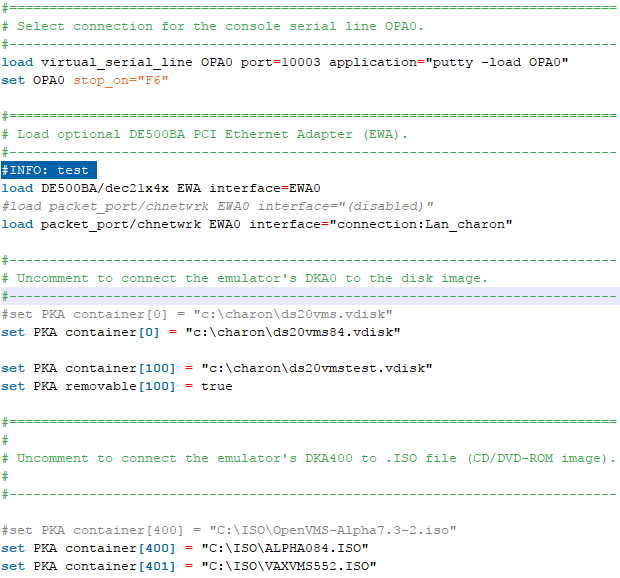
Configuration file example
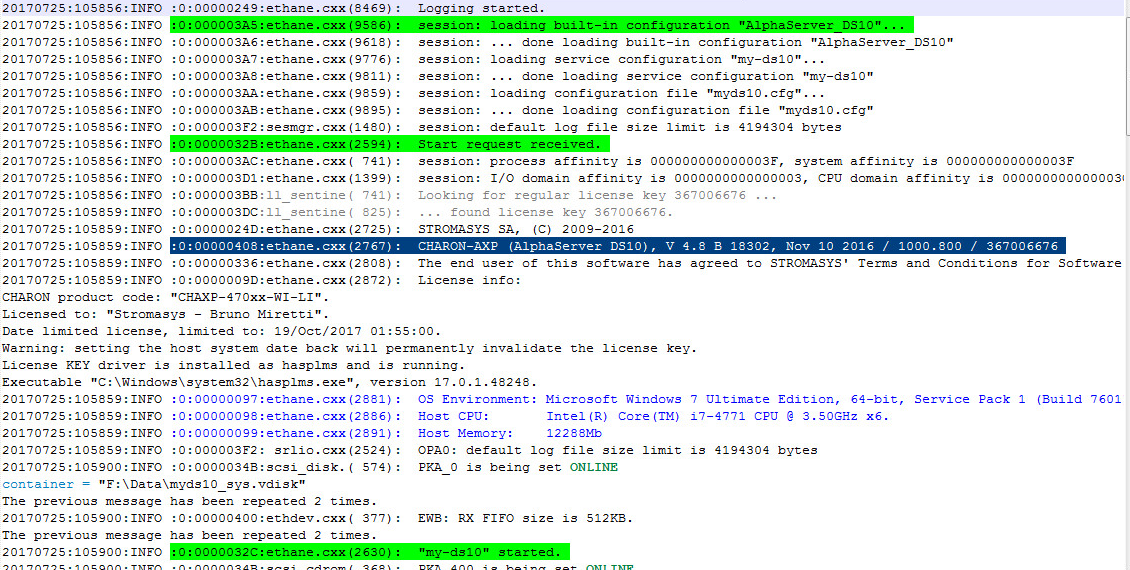
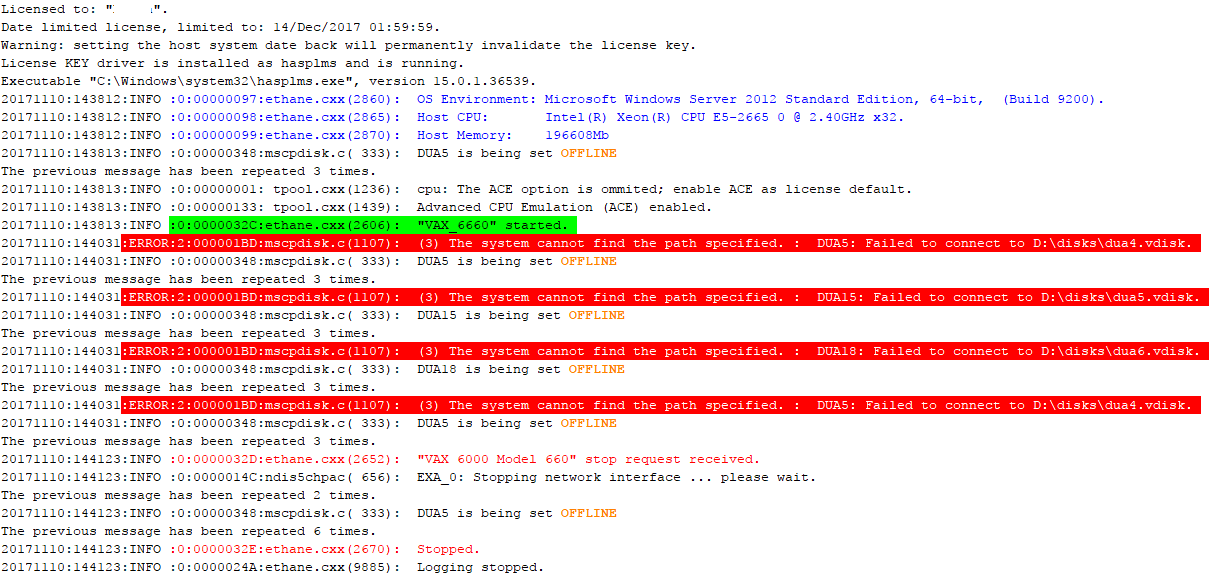
Log file examples
Log start
Log end with error messages
Related articles
© Stromasys, 1999-2024 - All the information is provided on the best effort basis, and might be changed anytime without notice. Information provided does not mean Stromasys commitment to any features described.